01 / 09
Internal Tool, Product Design
Priority Command Center
Role
Designer & Builder (Lovable)
Year
2025
Discipline
Internal Tool
Status
Case study
The Challenge
Priorities scattered across every app.
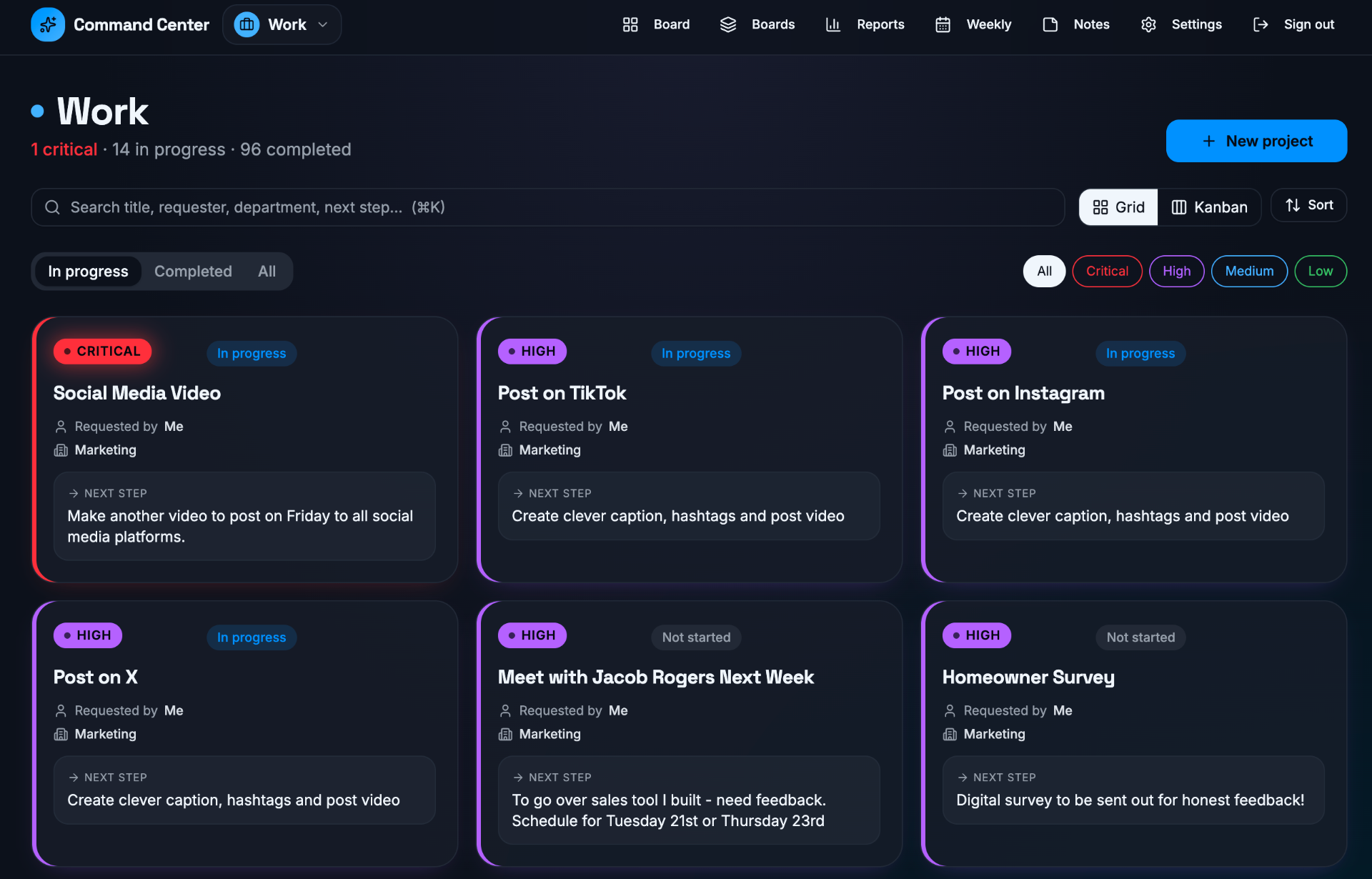
Running marketing across multiple channels and multiple companies means priorities live in a dozen places at once, Slack threads, notes apps, calendars, Loom recordings, follow-up emails. Nothing was the source of truth, and the "what's actually critical this week?" answer changed depending on which tab I was looking at.
I didn't want another generic Kanban board. I wanted a private command center shaped around how I actually work, one I could share with a boss or a stakeholder without giving them a seat, and one I could rebuild myself the same day a workflow changed.
The Approach
A private command center, built in a weekend.
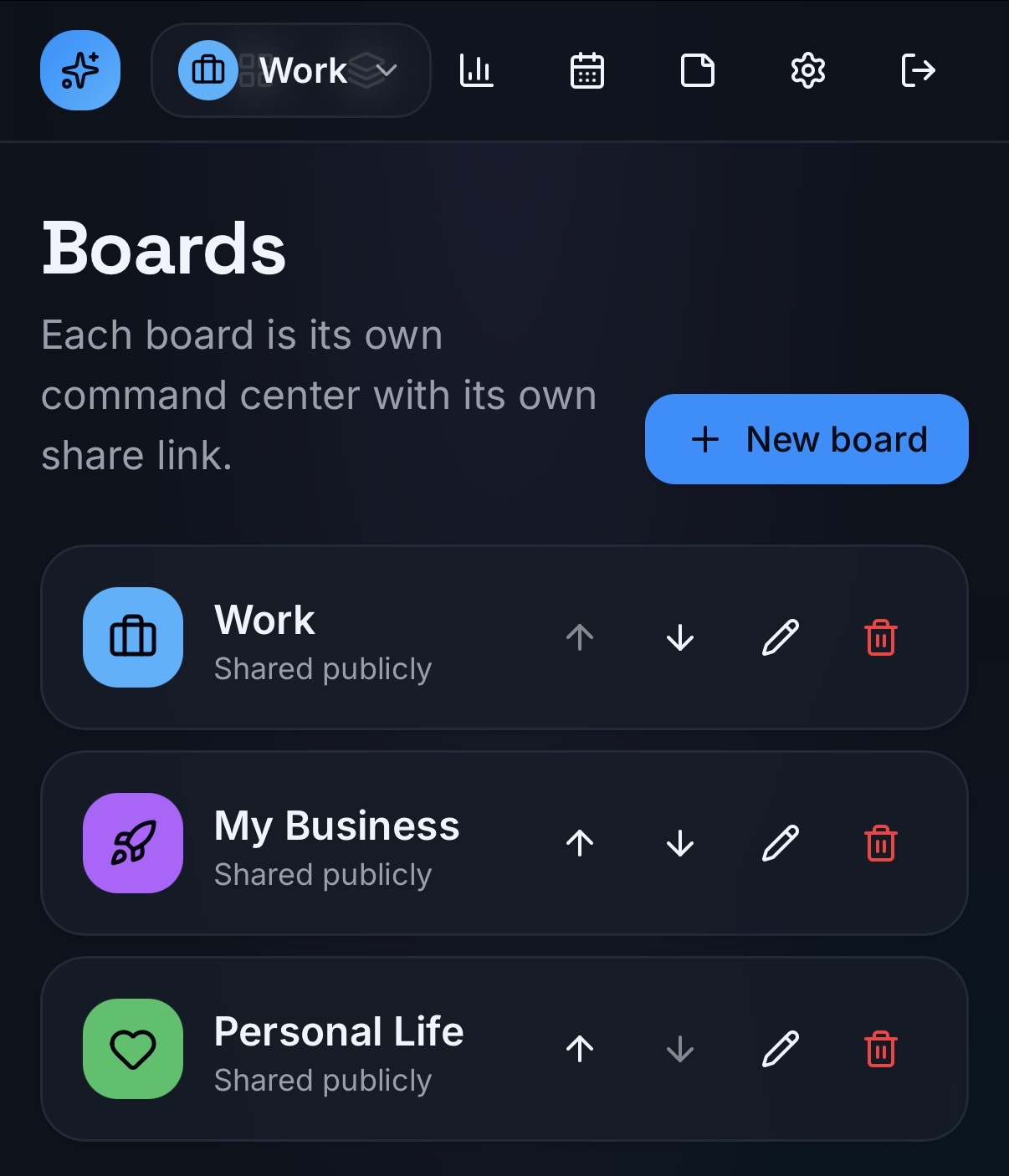
Built on Lovable: separate boards for Work, My Business, and Personal Life, each with its own shareable public link, its own notes, and its own weekly and quarterly reports. Private by default. Shareable when it needs to be. Editable by me, no per-seat SaaS fee, no ticket to a developer.
Chapter 01, The Board
One view of every priority.
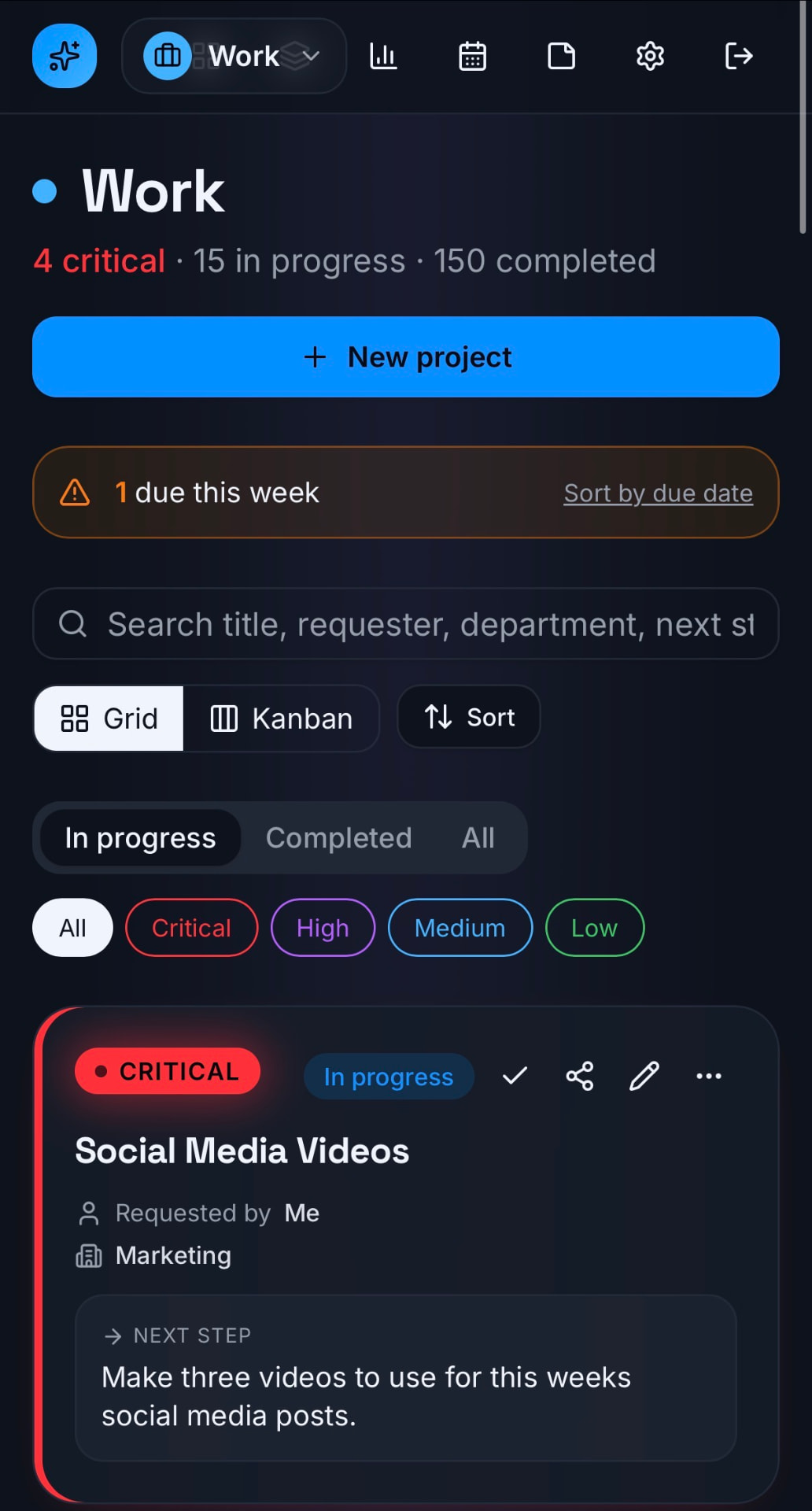
The main board shows every project at a glance, priority in a color-coded pill, requester, department, and the exact next step. Filter by Critical / High / Medium / Low, flip between Grid and Kanban, or sort by whatever matters that day.
Chapter 02, Activity Timeline
Change requests, delays, and progress in one timeline.
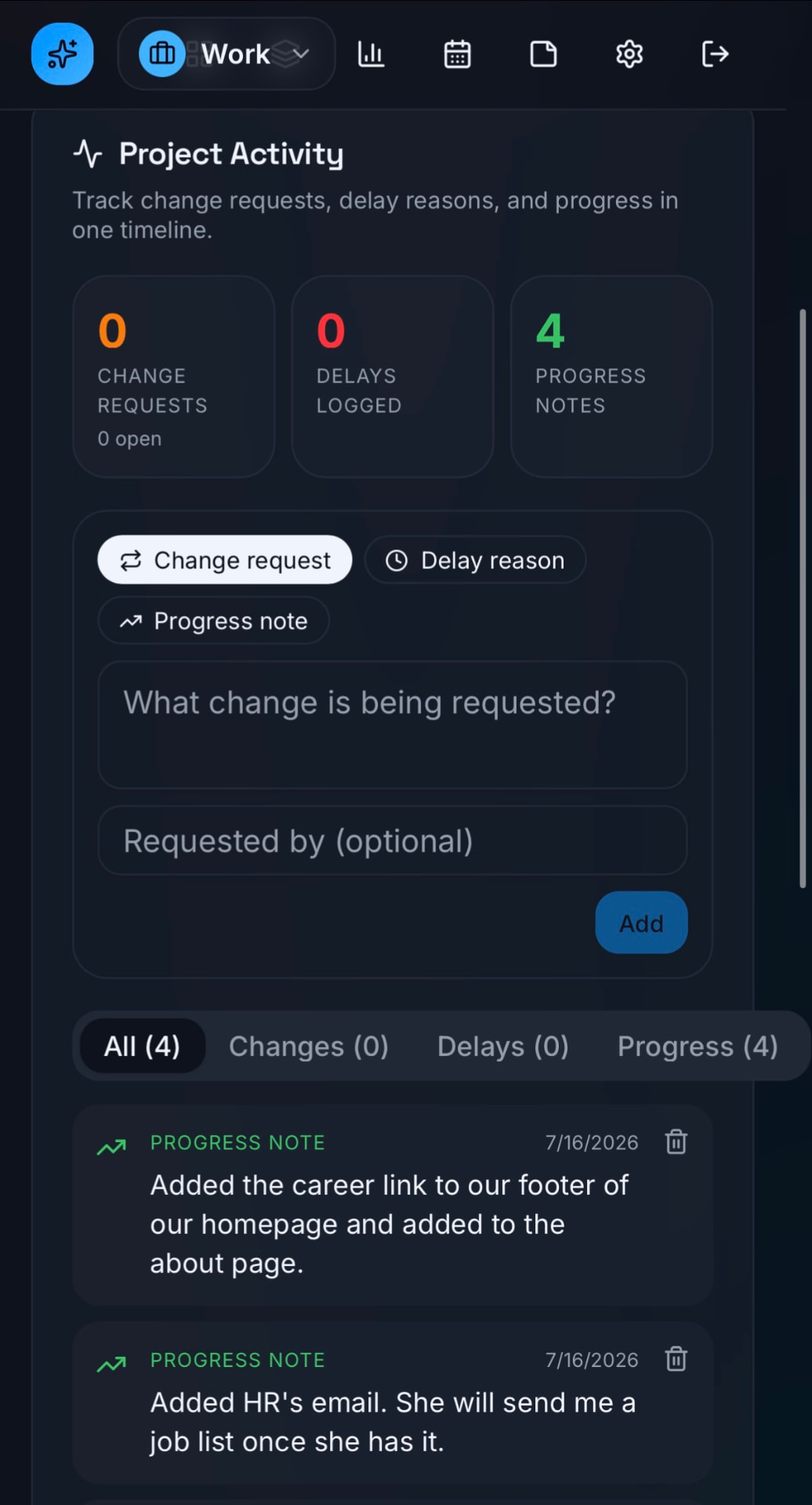
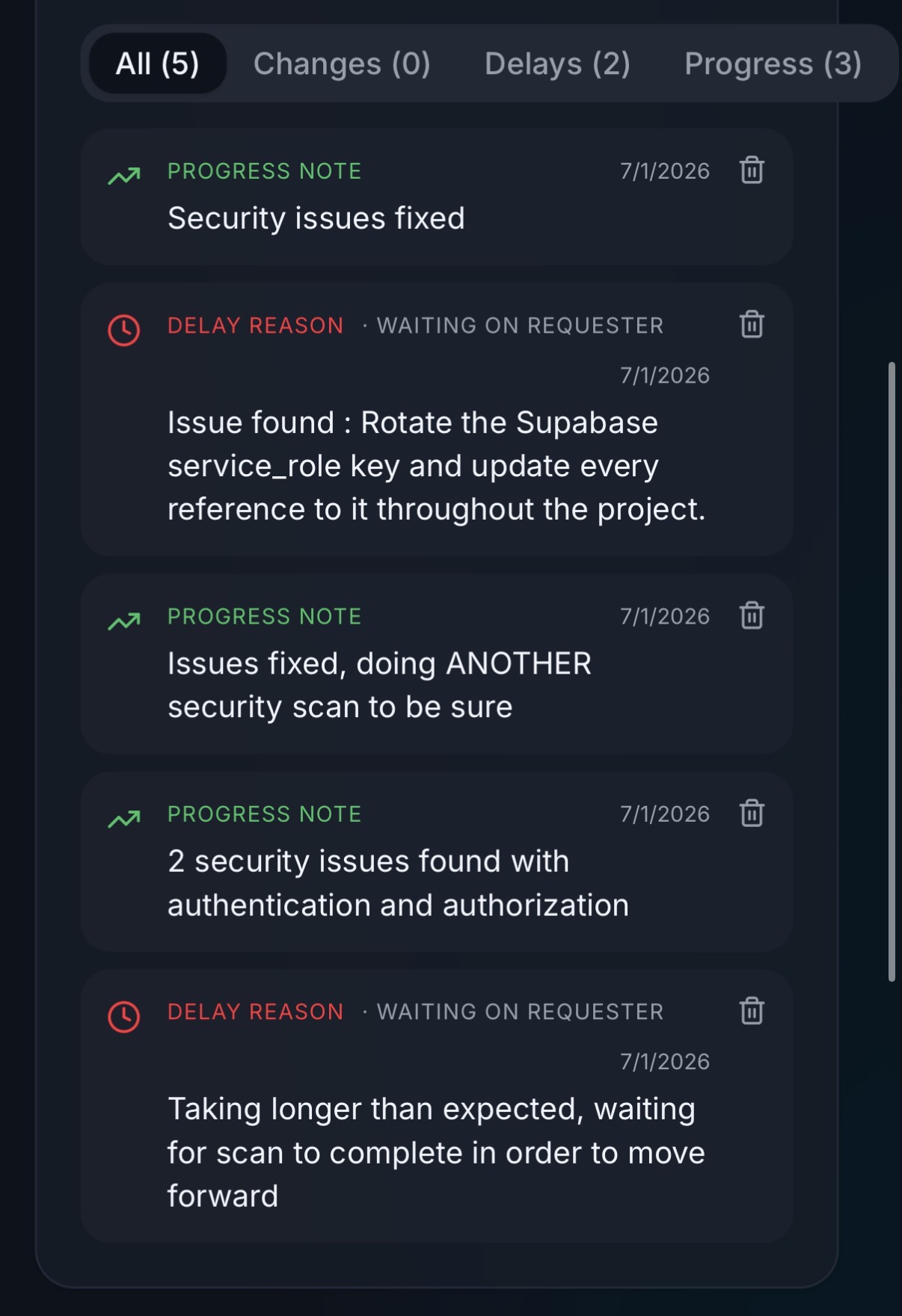
Every project has its own activity feed, change requests, delay reasons, and progress notes logged inline. Counts at the top so you can see the shape of a project at a glance: how many times scope shifted, how many times it got stuck, how much progress actually happened.
Chapter 03, Multiple Command Centers
Work, business, and personal, separate boards, one app.
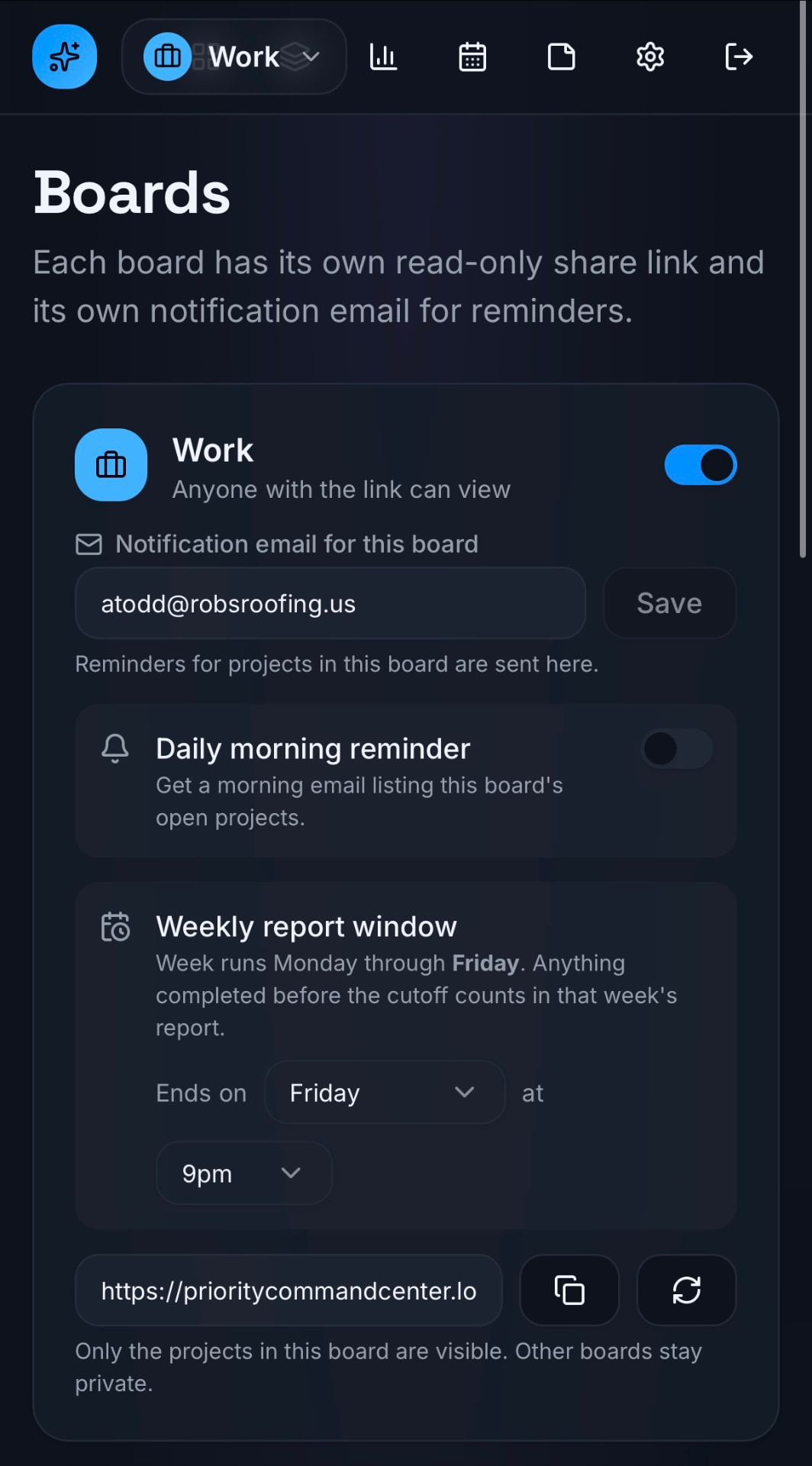
Three command centers, three share links, three totally separate worlds. Switch between them from a dropdown at the top. Each board owns its own projects, notes, reports, and public URL, so I can share my Work board with a boss without exposing My Business or Personal Life.
Chapter 04, Notes
Tagged reference notes scoped to a board.
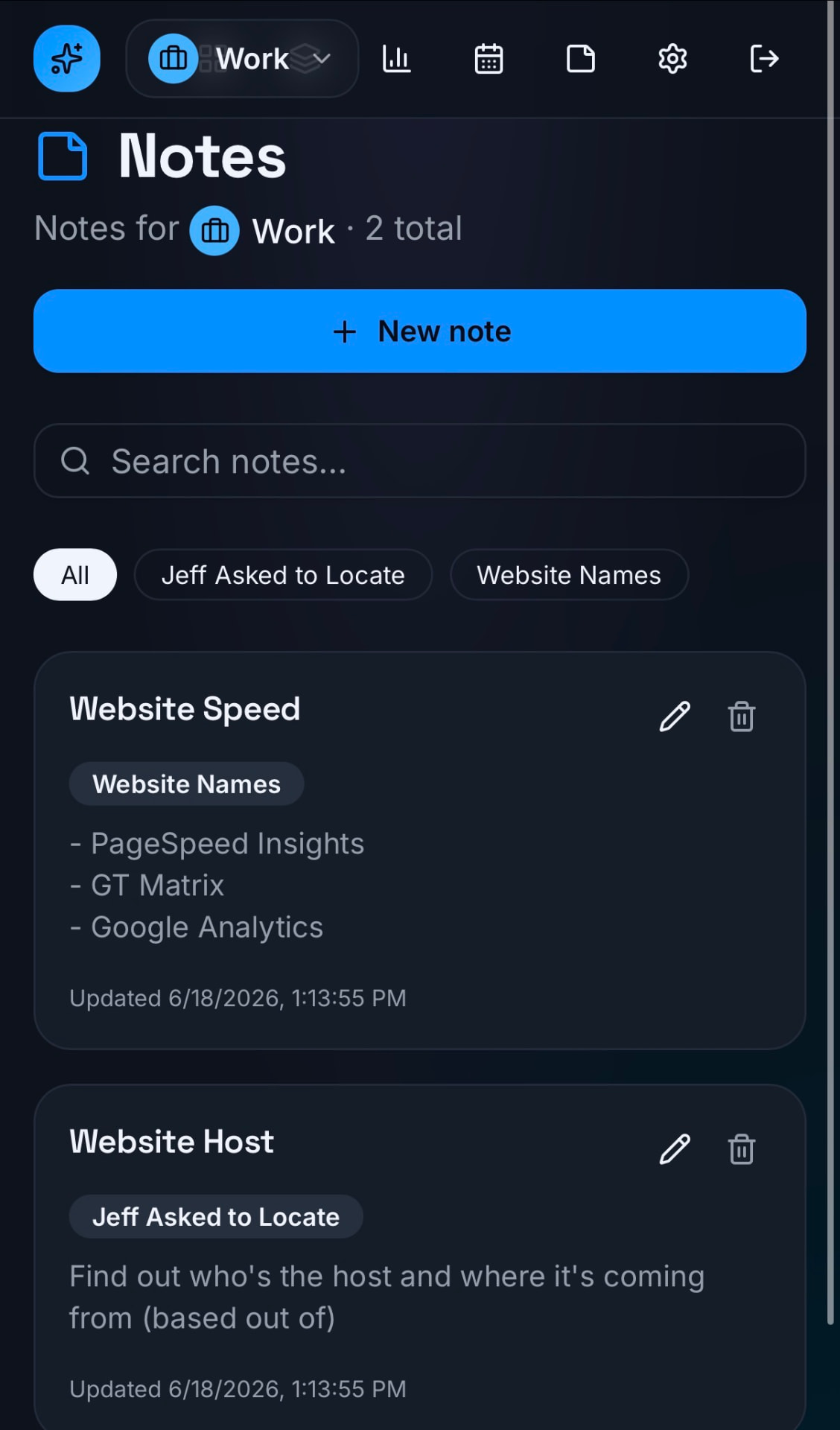
Long-lived reference material, hosting logins to hunt down, website names, SOPs, lives in Notes, tagged and searchable, and scoped to a single board so Work notes don't bleed into Personal.
Chapter 05, Weekly Report
An automatic Friday-afternoon snapshot.
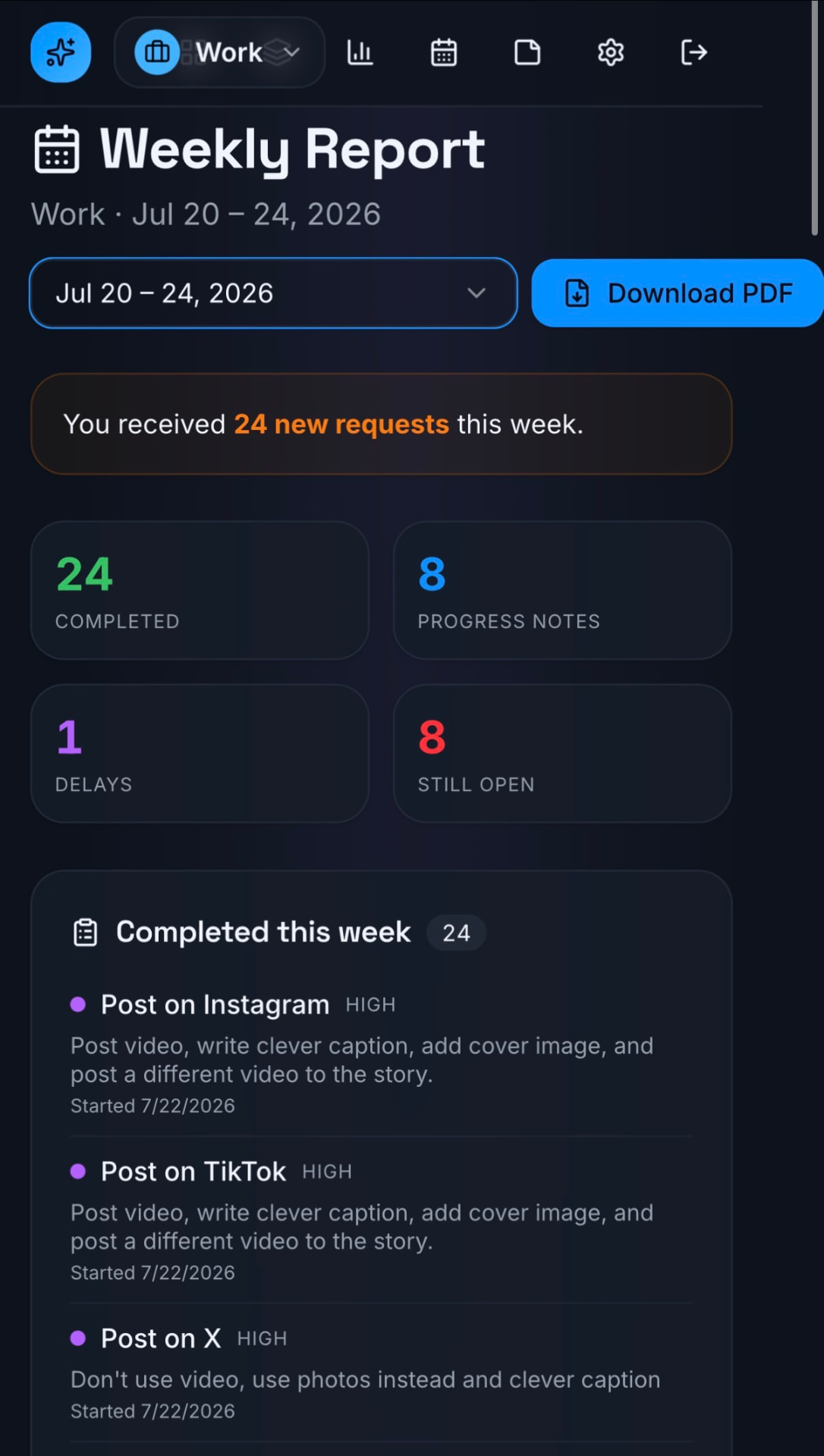
Every Friday afternoon the app generates a weekly report: everything completed, progress notes, delays, and what's still open. Downloadable as a PDF and archived, so a boss can re-download last month's report months later without me digging through Slack.
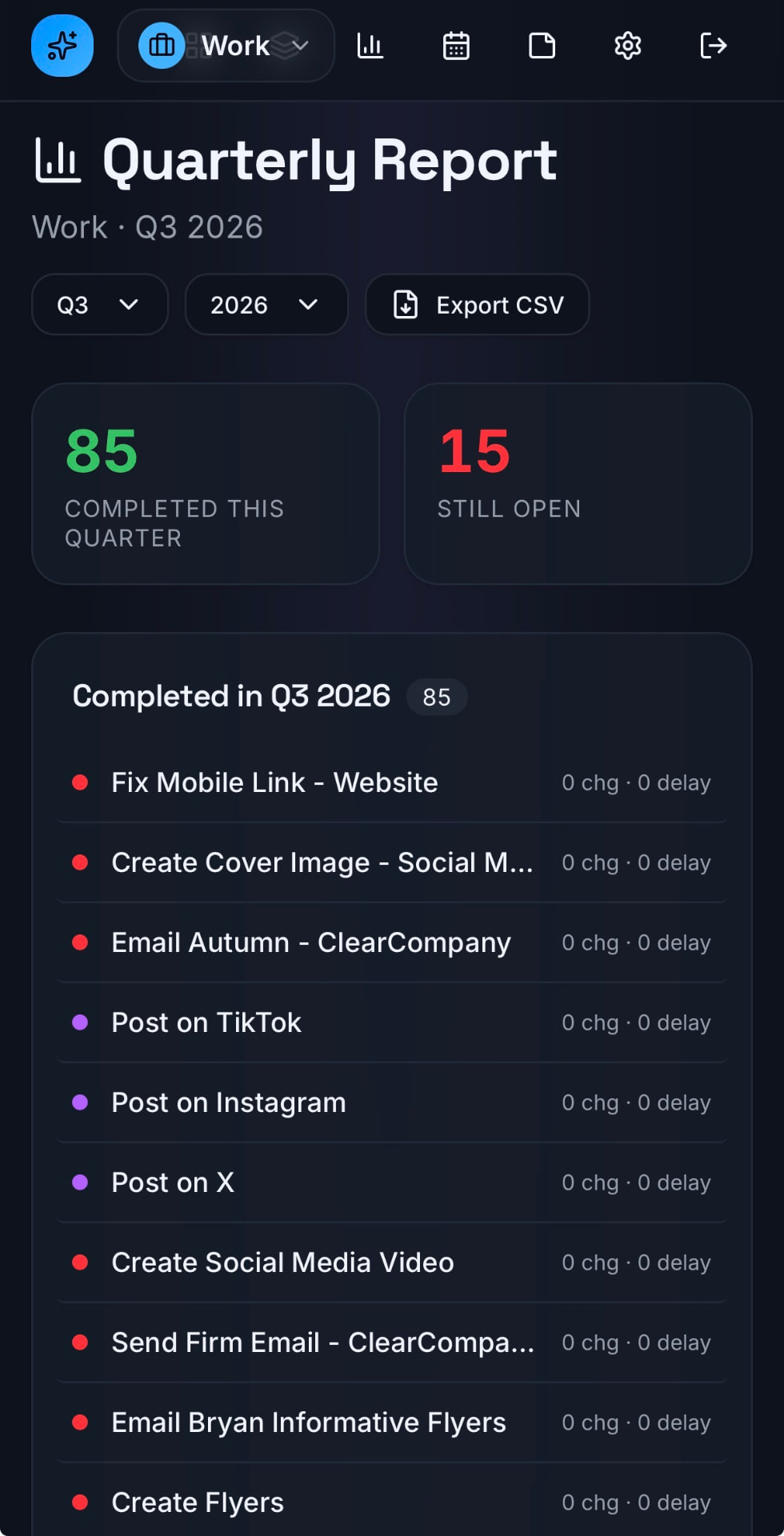
Chapter 06, Quarterly Report
Long-range view, exportable to CSV.
The quarterly view rolls everything up by quarter and year, with change counts and delay counts per project, department attribution, and a CSV export for anyone who wants to pull the raw numbers into a spreadsheet.
Why This Matters
Owning the tools I use every day.
AI + Lovable changes what a marketer can actually build. Instead of adapting my workflow to someone else's SaaS, paying per seat for features I don't use, waiting on a roadmap for the one I do, I built the tool around how I actually work. When the workflow changes, I ship the change the same day.
Next Case Study, 02 / 09